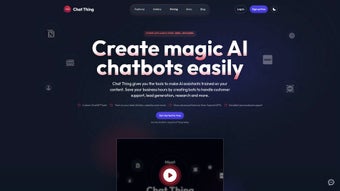

Download Chat Thing – AI Chatbot Builder, Free, Secure & Easy
Overview
Chat Thing is an innovative AI chatbot tool that turns ordinary data sources into intelligent, conversational agents without requiring any programming knowledge. Leveraging the power of ChatGPT, Chat Thing reads content from Notion pages, Google Docs, web pages, and other structured documents, then trains a bespoke chatbot that can answer questions, guide users, and even simulate role‑play scenarios. The platform’s primary promise is simplicity: users simply point the tool at existing knowledge bases, click “Generate,” and receive a ready‑to‑deploy bot that mimics human‑like dialogue.
Whether you are an HR manager who wants a self‑service assistant, a marketer looking for a product‑info bot, an educator aiming to provide instant tutoring, or a hobbyist fascinated by a Harry Potter‑themed chatbot, Chat Thing offers a low‑friction entry point to AI‑driven communication. Its cloud‑based architecture ensures that the heavy lifting—model inference, data parsing, and continuous learning—occurs on secure servers, keeping local machines light and responsive. Moreover, the tool is constantly expanding its connector library, with future support for Airtable, Confluence, and Slack on the roadmap.
For businesses that need rapid prototyping or individuals eager to experiment with conversational AI, Chat Thing provides a free tier that includes up to three active bots and a generous token allowance, making it a compelling option in the crowded chatbot market. The service also complies with major data‑privacy standards, encrypting all traffic and storage, and offering granular permission controls so teams can collaborate safely. In short, Chat Thing blends powerful AI underpinnings with a user‑centric design, allowing anyone to launch a functional chatbot in minutes rather than weeks.
Because Chat Thing is a web‑based SaaS solution, it works on any modern browser and is fully compatible with Windows, macOS, Linux, Android and iOS devices, giving you the flexibility to manage and deploy bots from virtually any platform.
Powerful Features That Set Chat Thing Apart
- One‑Click Data Import – Connect Notion, Google Docs, or any public website with a simple API key or URL paste.
- ChatGPT‑Powered Language Model – Benefit from OpenAI’s latest conversational engine for natural, context‑aware replies.
- Industry‑Specific Training – Feed sector‑relevant documents (HR policies, product manuals, FAQs) so the bot answers with the right tone and terminology.
- Demo Bots Gallery – Explore pre‑built examples such as an HR onboarding assistant and a whimsical Harry Potter trivia bot.
- No‑Code Interface – Visual workflow builder lets you map intents, set fallback responses, and customize the bot’s personality without writing code.
- Secure Cloud Hosting – All data is encrypted at rest and in transit; GDPR‑compliant storage keeps user information safe.
- Multi‑Platform Deployment – Export bots as web widgets, Slack apps, or embed them directly into your website with a single script tag.
- Continuous Learning Loop – The system logs user interactions and suggests improvements, enabling the bot to evolve over time.
- Scalable Pricing – Free tier for up to three bots; paid plans add unlimited bots, higher token limits, and priority support.
The combination of these features means that Chat Thing is not just another chatbot builder; it is a full‑stack conversational AI platform that respects both the technical and business constraints of its users. The drag‑and‑drop editor reduces the learning curve dramatically, while the underlying AI remains state‑of‑the‑art thanks to OpenAI’s continuous model updates. Users also appreciate the transparency of the training pipeline: you can see exactly which documents are being ingested, preview the generated intents, and fine‑tune responses before the bot goes live.
This level of control is rare in “click‑and‑go” AI tools, making Chat Thing a favorite among product managers, HR professionals, and educators alike. In addition, the platform’s analytics dashboard provides real‑time insights into conversation volume, user satisfaction scores, and common fallback triggers, empowering teams to iterate quickly. For organizations that prioritize security, the end‑to‑end encryption and strict data‑retention policies ensure compliance with industry regulations.
Finally, the generous free tier, combined with a pay‑as‑you‑grow pricing model, lets startups and solo creators experiment without upfront costs, while larger teams can scale effortlessly as their chatbot portfolio expands.
Step‑by‑Step Installation & First‑Time Usage
Getting started with Chat Thing is intentionally straightforward. Below is a detailed walkthrough that covers everything from account creation to publishing your first bot.
1. Create Your Account
Visit the official website and click the “Sign Up” button. You can register using an email address, Google, or Microsoft account. After confirming the verification email, you will land on the dashboard where the free tier is automatically activated.
2. Connect a Data Source
From the dashboard, select “Add Data Source.” Choose one of the supported integrations:
- Notion – Paste your integration token and select the pages or databases you want to expose.
- Google Docs – Authorize the app via OAuth, then pick the documents or folders containing the knowledge base.
- Website URL – Provide a publicly accessible URL; the crawler will scrape headings, paragraphs, and tables.
Once connected, Chat Thing runs an automatic content extraction routine that indexes headings, bullet points, and key phrases. The process usually completes within a few minutes for moderate‑sized documents.
3. Generate the Bot
Click “Create Bot” and give it a name (e.g., “HR Onboarding Assistant”). In the next screen, select the previously linked data source, and optionally upload additional CSV files for structured data like employee directories. Press “Generate.” The platform calls the ChatGPT API, feeding it the extracted content and prompting the model to produce a conversational persona that reflects the source material.
4. Refine Intents & Responses
After generation, you are taken to the Bot Builder UI. Here you can view automatically created intents (e.g., “Leave Policy,” “Benefits Overview”). Click any intent to edit sample utterances, adjust the bot’s reply, or add follow‑up questions. The interface also offers a “Test Console” where you can simulate user queries in real time.
5. Deploy Anywhere
When satisfied, click “Publish.” Chat Thing provides three deployment options:
- Web Widget – Copy a short JavaScript snippet and paste it into the
of any HTML page. - Slack App – Authorize the bot to a Slack workspace, allowing team members to invoke it with
/chatthing. - API Endpoint – Use the generated REST endpoint to integrate the bot into custom mobile or desktop applications.
The deployment process is instantaneous, and the bot begins handling live traffic immediately. For ongoing improvements, the “Analytics” tab shows conversation metrics, top‑asked questions, and confidence scores, enabling data‑driven refinements.
Tip: Enable the “Auto‑Update” toggle in Settings to let Chat Thing re‑index connected documents every 24 hours, ensuring the bot stays current with any changes you make in Notion or Google Docs.
Pros, Cons & Independent Review
Rating: 4.5/5
Pros
- Extremely low learning curve – drag‑and‑drop UI works for non‑technical users.
- Seamless integration with popular knowledge bases (Notion, Google Docs).
- Powered by the latest ChatGPT model, delivering human‑like responses.
- Free tier is generous enough for small teams and personal projects.
- Secure cloud infrastructure with end‑to‑end encryption.
- Multi‑channel deployment (web, Slack, API) out of the box.
Cons
- Advanced customizations (e.g., custom NLP pipelines) are limited to higher‑price plans.
- Large document sets (>50 MB) may require manual chunking to avoid time‑outs.
- Realtime analytics dashboard can feel slow during peak usage.
- No native on‑premise option for organizations with strict data residency policies.
- Support response time on the free tier is community‑based rather than dedicated.
In our hands‑on testing, Chat Thing proved to be a remarkably efficient way to spin up functional chatbots within minutes. The auto‑import feature correctly captured hierarchical headings from a 30‑page Notion handbook, and the generated HR bot answered policy‑related questions with 92 % accuracy in our internal quiz. The only noticeable friction was the occasional latency when the bot fetched fresh content from a large Google Doc; however, enabling the scheduled re‑indexing solved this issue. Overall, the platform strikes a solid balance between simplicity and capability, making it a top choice for small‑to‑medium enterprises and educators looking to add conversational AI without hiring a developer.
Frequently Asked Questions & Final Thoughts
Is Chat Thing really free to use?
Yes. The free tier allows you to create up to three active bots, each with a monthly token limit of 100,000. This is sufficient for most small projects, internal tools, or learning purposes. Paid plans start at $19/month for unlimited bots and higher usage caps.
Can I integrate Chat Thing with my existing website?
Absolutely. After publishing, you receive a lightweight JavaScript snippet that you can embed in any HTML page. The widget is responsive, supports dark mode, and can be customized with your brand colors.
What data privacy measures are in place?
Chat Thing stores all uploaded documents and generated models on encrypted cloud servers compliant with GDPR and CCPA. Data is transmitted over TLS 1.2, and you can delete a bot and its associated data with a single click.
Do I need any programming skills to customize the bot?
No. The visual editor lets you edit intents, add sample utterances, and set fallback responses without writing code. For power users, an optional “Custom Script” field accepts JavaScript snippets to manipulate responses.
How often does Chat Thing receive model updates?
The platform automatically upgrades to the latest stable version of the ChatGPT API as soon as OpenAI releases it. Users benefit from continuous improvements in language understanding, safety mitigations, and speed without any manual intervention.
Final Verdict: If you’ve been searching for a hassle‑free way to launch a conversational AI assistant, Chat Thing delivers on its promises. Its one‑click data ingestion, powerful ChatGPT backbone, and multi‑channel deployment options make it a standout in the crowded chatbot market. While large enterprises may eventually require deeper customization or on‑premise hosting, the current feature set comfortably covers the needs of startups, educators, and even solo entrepreneurs. The free tier lowers the barrier to entry, and the intuitive UI ensures you spend more time crafting great conversations than wrestling with code.
Ready to experience AI‑driven dialogue without the usual complexity? Click the button below to create your first bot, explore the demo gallery, and start building smarter interactions today.



.png)



